Online booking and scheduling features
Okayset gives any business that runs on appointments a booking page, a calendar that can’t be double-booked, email reminders and self-service rescheduling. This is what’s available in the beta today; what isn’t built yet is listed on the pricing page.
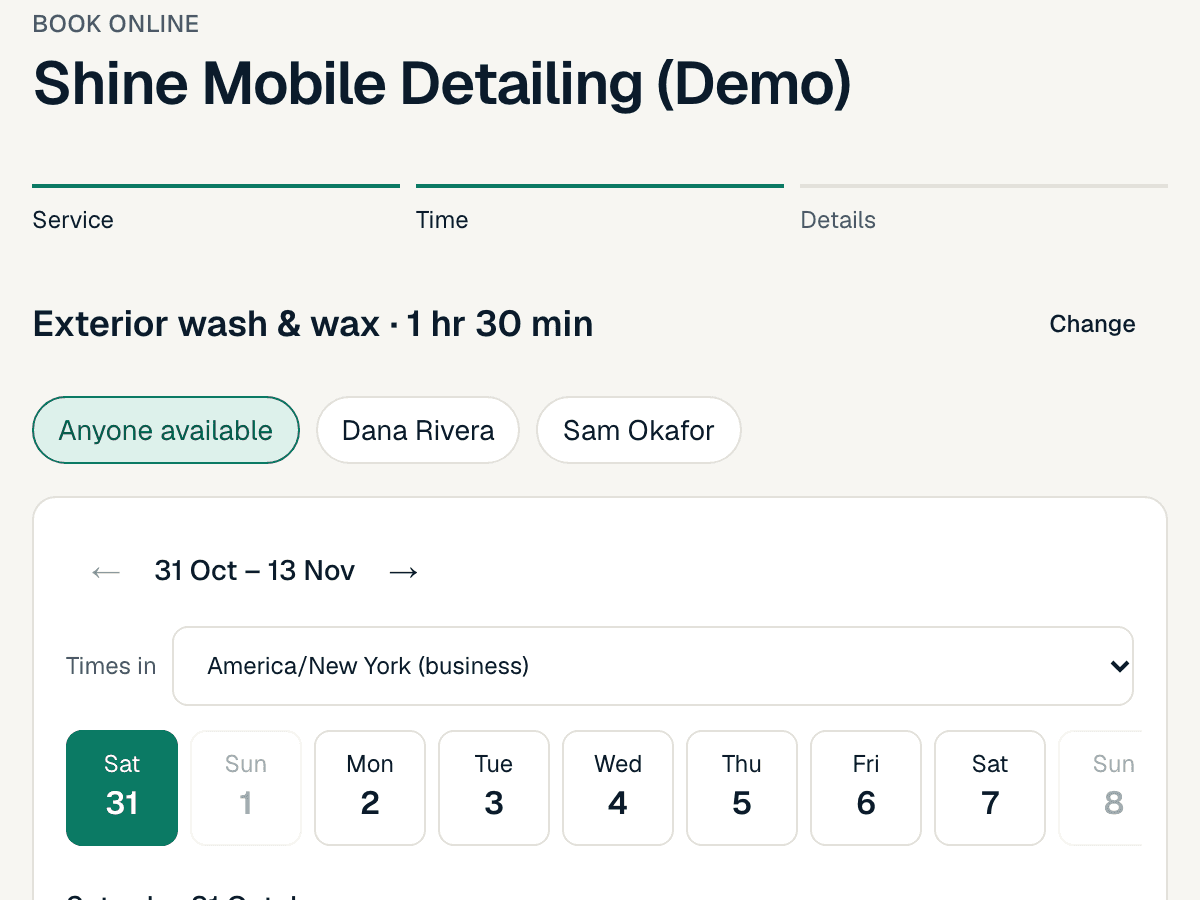
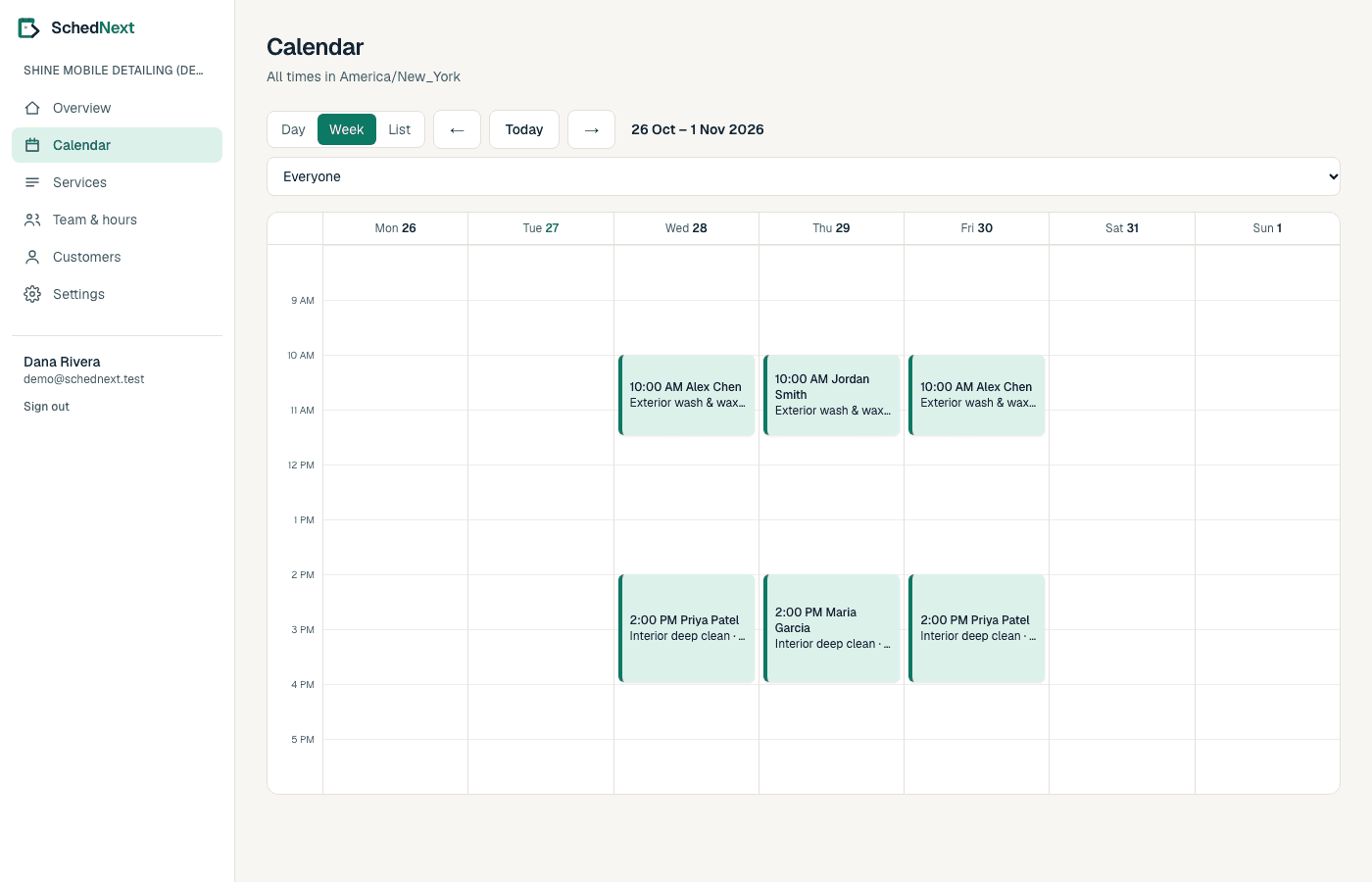
Booking pages
- Guest booking
- Customers book with their name and email. No account or app needed.
- Choose a person or anyone
- Let customers pick a team member, or offer the first available.
- Short holds
- When a customer picks a time we hold it for a few minutes while they fill in their details.
- Mobile-first and accessible
- Keyboard and screen-reader friendly, and works on small screens.
Scheduling rules
- Weekly hours and split shifts
- Several windows per day for each person.
- Date overrides and time off
- Change hours for one day, take a day off, or block a few hours.
- Buffers
- Time before or after each service that can’t be booked.
- Notice and booking window
- Minimum notice for new bookings and how far ahead customers can book.
Fits the way you work
- Service area
- If you travel to customers, they enter their postcode or ZIP first, so nobody books a visit you can’t reach.
- Booking questions
- Ask what you need to know before the appointment: a hair length, a client’s goals, a car model or a gate code. Paid plans.
- Repeating bookings
- Customers book every 2 weeks for 3 months in one go; taken dates are skipped, never double-booked. Paid plans.
- Clear a day
- Ill, closed or bad weather? Cancel a day’s bookings with one note to every customer and block the day.
Keeping customers coming back
- Reminders when you want them
- From 1 hour to 2 days before the visit.
- Thank-you emails
- One email after each visit with your review link and a link to book again. Paid plans.
- Your website and your calendar
- Put booking on your own website, and see bookings in Google, Apple or Outlook Calendar. Paid plans.
- Reports
- Bookings, value, busiest days and times, per service and team member, with CSV export. Paid plans.
Reliability
- Server-side availability
- Every booking is checked against the latest calendar on the server.
- Database-enforced conflicts
- A database constraint rejects overlapping bookings for the same person.
- Safe retries
- Repeated submissions of the same booking don’t create duplicates.
- History
- Every booking keeps a record of when it was created, moved or cancelled, and by whom.
Customers and privacy
- Customer records
- Contact details, notes and appointment history per business.
- Self-service changes
- A private link in each confirmation lets customers reschedule or cancel within your policy.
- Export and deletion
- Export a customer’s data or delete it on request.
- Only essential cookies
- We don’t use advertising trackers.